Write alternative text for each carousel slide that preserves its message: essential visible words, relevant visual information, and its place in the sequence when needed. Check the description against the final image. A post caption can introduce the whole story, but it may not supply the information contained in each individual slide.
Start with what the slide communicates.
A useful description answers what this image adds here. “Coffee image” misses the headline and invitation. A list of colors, shadows, and background objects can miss them too.
W3C’s informative-image guidance centers the information conveyed, with the surrounding context shaping the description. Its images-of-text guidance calls for preserving the words when they are supplied only by an image. On a website, use real text where the design can support it.
For a text-heavy carousel, keep a separate copy of the full slide wording during production. That makes missing lines and changed offers easier to catch when the image is exported.
Three finished slides, three different descriptions.
These are Aitoma’s existing illustrative coffee-brand creatives, not a customer outcome or an accessibility certification. The descriptions below were written for this guide and checked against the exported images.
Each draft is intended for a slide that stands on its own in a social publishing field. On this teaching page, the visible explanation supplies additional context. Adapt the final wording to the actual publishing surface.

Introduce the product and the promise.
Words on the slide: The Daily Ritual. Make mornings yours. A little ritual. A better start.
Proposed alternative text:
Slide 1 of 3. The Daily Ritual. Make mornings yours. A little ritual. A better start. A rust-colored coffee pouch stands beside a cup of coffee and scattered beans.
The words establish the promise. The pouch, cup, and beans identify the product scene. Describing every background object would add length without explaining the message.
Describe the change in the scene.
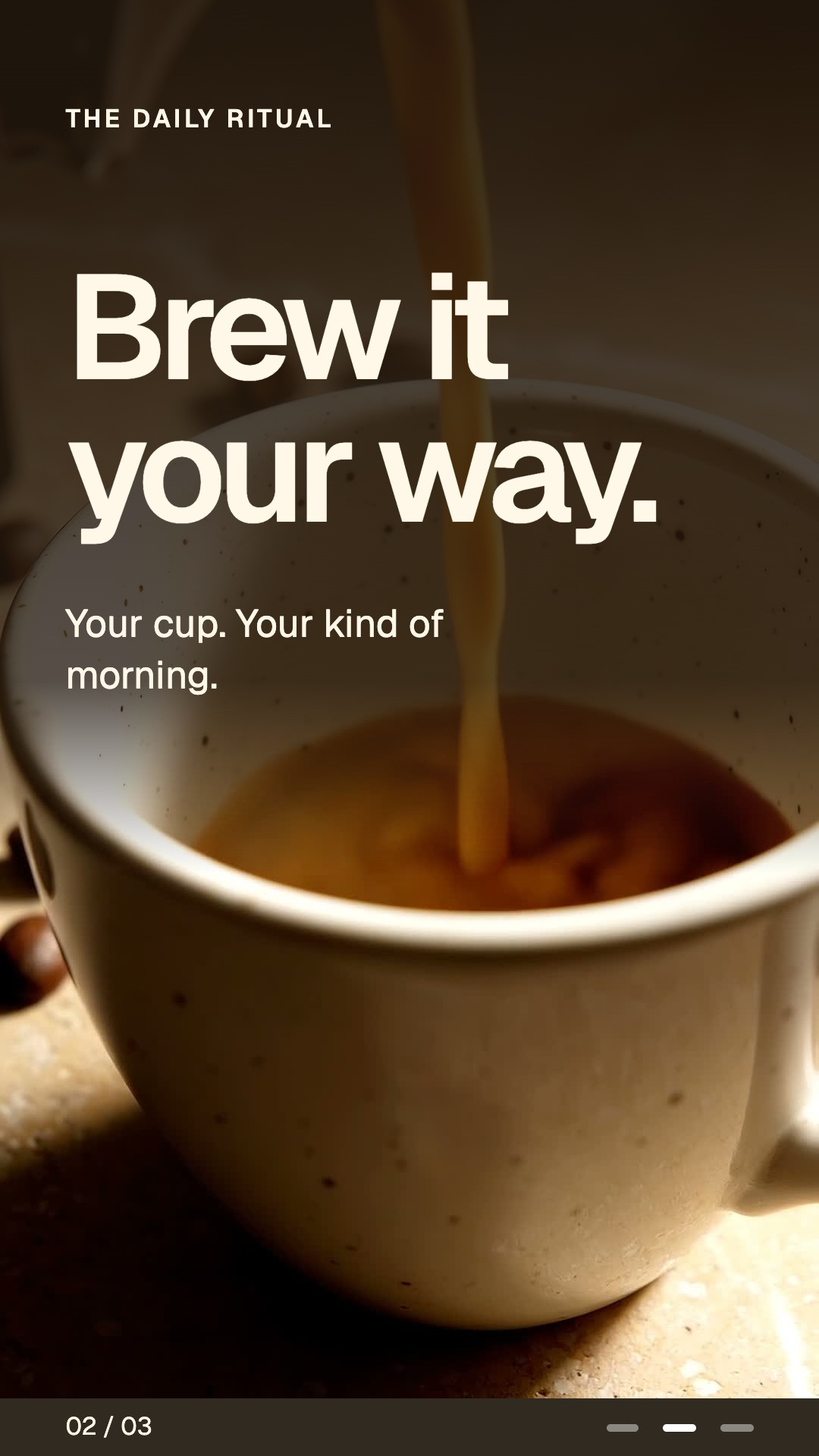
Words on the slide: The Daily Ritual. Brew it your way. Your cup. Your kind of morning.
Proposed alternative text:
Slide 2 of 3. The Daily Ritual. Brew it your way. Your cup. Your kind of morning. Close-up of coffee pouring into a speckled cup.
The pouring action distinguishes this slide from the product portrait. The image does not establish a brewing method, roast, flavor, or origin, so the description does not invent one.
Preserve the closing invitation.
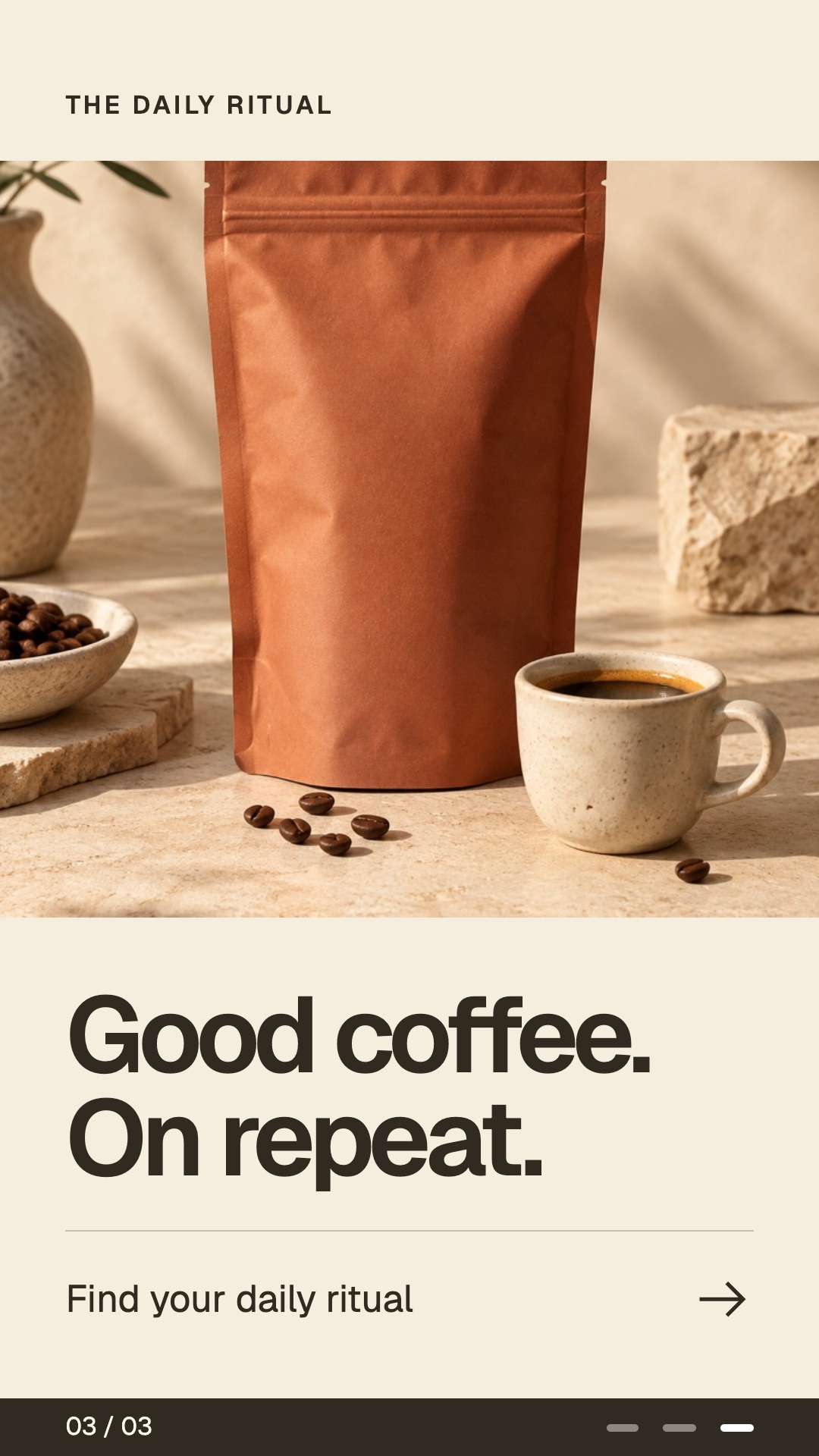
Words on the slide: The Daily Ritual. Good coffee. On repeat. Find your daily ritual.
Proposed alternative text:
Slide 3 of 3. The Daily Ritual. Good coffee. On repeat. Find your daily ritual. A coffee pouch and cup appear above the closing message, with a right-pointing arrow.
The invitation is part of the message. An arrow printed into an image is not a working link. The description must not promise that tapping it opens a shop or starts a subscription.
The slide number is written as “Slide 1 of 3” rather than reproducing the decorative progress marks. If the publishing interface already announces slide position, avoid announcing it twice. Keep the order clear in your handoff.
See the carousel’s creative breakdown for the opening, middle, and closing roles. This guide focuses on the information a reader needs when the image itself is unavailable.
Edit the descriptions and take them with you.
Download the worked CSV or download the blank five-slide CSV. The CSV includes visible words, visual meaning, the proposed description, and a review note.
The edited download contains your current fields. The two CSV links are fixed examples and blanks; they do not change when you edit this page. Download before leaving if you want to keep your work.
Keep the caption, image description, and destination distinct.
| Part of the handoff | Its job | Coffee example |
|---|---|---|
| Post caption | Introduces the post and adds context for the whole sequence. | A short introduction to choosing a morning ritual. |
| Per-slide alternative text | Conveys the information in that particular image. | The headline and pouring scene on slide 2. |
| Destination | Provides the actual next place a person can visit. | A verified product or guide link in the available publishing field. |
Do not use the description to add a discount, ingredient, product feature, or destination that is absent from the creative and its verified context. Do not fill it with search keywords unrelated to what the slide communicates.
Avoid one repeated description for every slide. In this example the product remains coffee, but the opening promise, pouring scene, and closing invitation each contribute something different.
Adapt to the publishing context.
The right wording can change when the image moves. On a page where the same words are already readable nearby, repeating all of them may be unnecessary. W3C’s alternative-text decision tree distinguishes redundant, informative, decorative, and functional uses.
Check the actual platform and content type before handoff. Do not assume a carousel image, a document post, and a video all expose the same description field. If a field has a limit, preserve the essential information and provide an accessible text version through a supported visible location. Confirm how people reach it.
A dense chart or instruction sequence may need a longer explanation in ordinary text. A short label that says “see chart” does not preserve the chart’s findings. Keep the explanation with the content when republishing.
Review the exported images and the published reading order.
- Compare each description with the final exported file, not an earlier design.
- Read the descriptions in order without looking at the images. Check whether the sequence still makes sense.
- Check spelling, names, numbers, offer conditions, and the closing action against the visible wording.
- Confirm that the correct description is attached to the correct slide in the publishing interface.
- Use the actual published view and relevant assistive technology to check whether descriptions are exposed, ordered, and repeated as expected.
- Record the version, review result, and any unresolved issue before treating the package as ready.
If a slide changes, reopen its description as part of the revision. A translated image also needs a description suited to that language and audience. Use the localization ledger to keep the two versions together.
Alternative text addresses one part of access. It does not fix small visual text, poor contrast, confusing navigation, or an inaccessible publishing surface. This guide has not been tested as a completed social post with screen-reader users.
Include descriptions in the creative brief.
Assign the writer and reviewer before export. Add the descriptions to the same handoff as the numbered slide files, caption, and destination. Use the carousel slide planner for the story, then this packet for the image descriptions.
Aitoma’s carousel workflow connects the brief with designed slides and review. Specify alternative text in the deliverable scope and verify it at publication; a finished image file alone does not establish that the publishing platform received its description.
Sources checked on October 20, 2026: W3C WAI’s informative images, images of text, and alternative-text decision tree, linked above. The coffee descriptions and handoff examples are Aitoma’s editorial work.