One image.
A clear visual hierarchy.
The illustrative coffee ad pairs a short morning-focused headline with a recognizable product scene and a restrained invitation.
Illustrative brand creative · No measured advertising result.
Explore the edit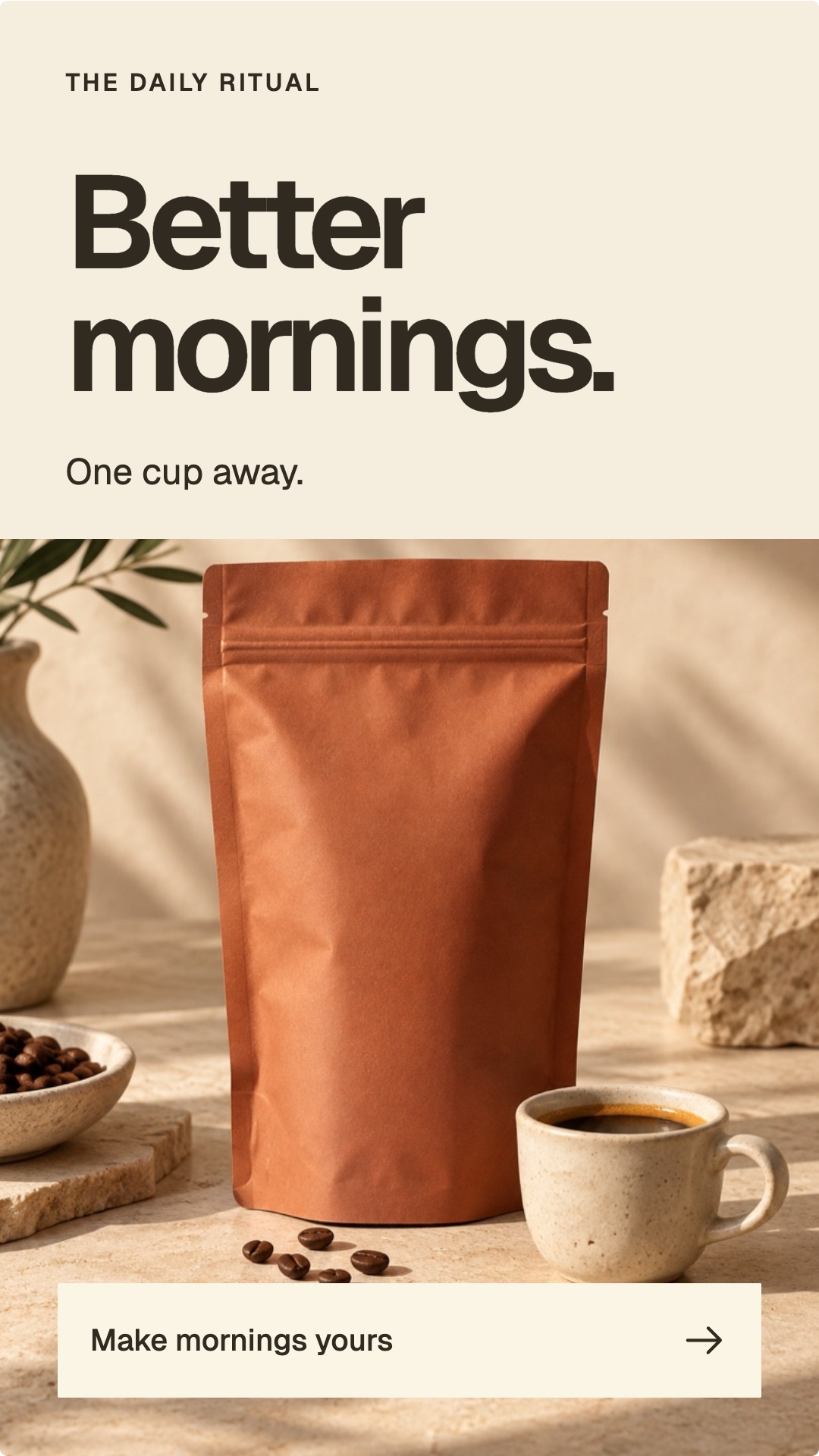
File details Image · 1080 × 1921 px
- Files
- 1 JPEG image
- Dimensions per image
- 1080 × 1921 px
Measured from the web preview files shown here. Confirm your production export requirements in the brief.
Download creative example file details (CSV). Includes file sizes and version identifiers.
Read the composition from top to bottom.
| Element | Role in the image |
|---|---|
| Small brand line | Establishes identity without competing with the main message. |
| Better mornings headline | Gives the image one dominant idea. |
| One cup away support | Connects the broad message to the coffee category. |
| Pack and cup scene | Makes the product and use context visible. |
| Bottom invitation | Provides a closing action without adding another dominant headline. |
The product scene carries much of the explanation.
The warm pack, cup, and surrounding materials establish a coffee ritual without requiring a paragraph of text. The quieter upper area gives the headline room. Contrast between text and background makes the hierarchy visible at a smaller size.
For your own image ad, use approved product photography or references and inspect the exact label and shape. A composition can look coherent while still representing the wrong variant or outdated packaging.
Keep the invitation connected to the destination.
The visible invitation suggests exploring a morning ritual. A corresponding landing page should make that product context easy to find. A visual button-like treatment inside an image is part of the creative; it is not an interactive control in the exported asset.
This example is a design breakdown. Its copy is not evidence of increased sales, and the image was not supplied as a measured winning ad. If used in a campaign, the outcome would need a defined test and measurement.
A useful review pass.
View the image at the intended placement size. Check whether the headline, product, and next step are identifiable in that order. Confirm text accuracy, readable contrast, crop boundaries, and the offer.
Compare it with the coffee carousel and reel to see how one visual identity can support different information structures. Reuse the hierarchy principle, not an unrelated product promise.
Same idea. Two different edits.
These two existing versions use the same “Better mornings” idea and coffee imagery. Compare how the text and photograph share the space. The labels identify the source files; they are not test scores.

What changed in the composition?
- The headline has its own area. In version 2, its cream panel sits over the product photograph. Version 3 places the headline and “One cup away” together in a full-width header above the photograph.
- The product has less text over it. Version 2 places the supporting line over the pack. Version 3 moves that line into the header, leaving the pack image below it.
- The invitation has a consistent background. Version 2 uses “Find your daily ritual” directly over the image. Version 3 uses “Make mornings yours” on a cream strip, keeping the words and arrow together.
That separation makes the layout less dependent on the brightness and detail behind each line. It also uses more space for text and changes the photo crop. Those are design tradeoffs to review at the intended placement size, not proof that one version converts better.
How to review a change like this.
Compare both files at the same displayed width. Check whether you can identify the message, product and invitation without zooming. Then inspect the actual placement crop and confirm that the CTA matches its destination. If you test performance, record that the CTA wording and layout changed together: the result would not isolate typography alone.
These are illustrative Aitoma creative assets, not client campaign results. This comparison describes visible differences; it does not establish who requested the revision or that an agent detected and corrected it autonomously. Use the creative-review record to document those responsibilities and the exact file version in your own workflow.
Before approving a static product creative, use the AI product image review guide to check packaging, variants and the final placement. It includes a worked example and a review record.
Make your next move specific to your brand.
Start with your free playbook: your audience, what to say, and ideas worth creating.